# ㄧ. 系統與粉專綁定解綁的邏輯

系統在與FB粉專或IG綁定時，是<mark style="color:red;">以該台設備的瀏覽器社群登入帳號為主</mark>。\
不管FB粉專或是IG，系統在判定時，都會跳出新視窗，此動作就是在讀取目前該瀏覽器FB以及IG登入的帳號。\
\
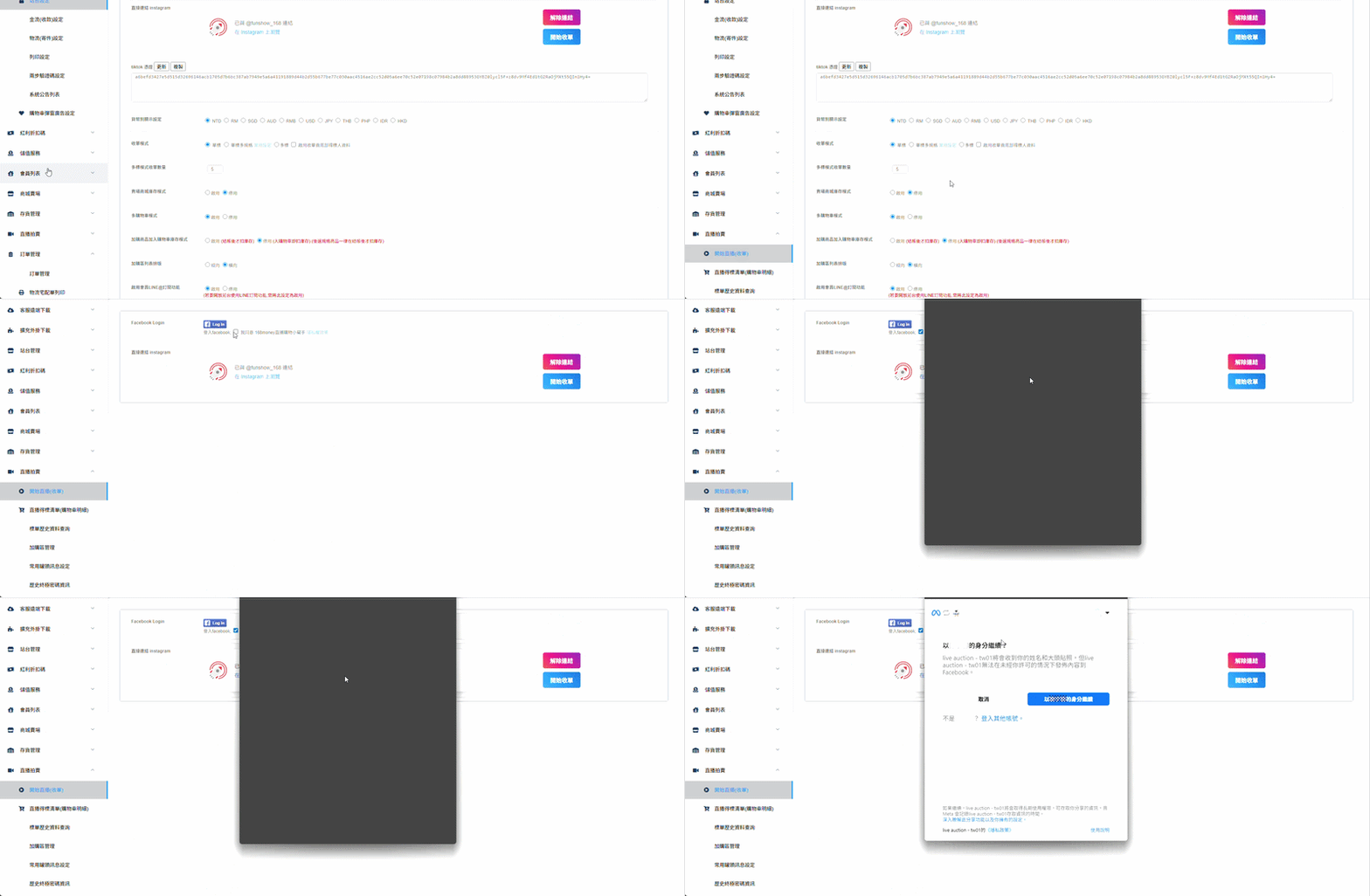
FB系統抓取的是<mark style="color:red;background-color:yellow;">該瀏覽器</mark><mark style="color:red;">登入的管理員的個人帳號</mark>，確認後進而選擇該個人帳號底下擁有的粉專(只能擇一綁定)。

<figure><img src="/files/6rq9MxwnG7zgL8hRg9uR" alt=""><figcaption><p>FB綁定操作</p></figcaption></figure>

### ⚠️FB這邊最重要的是，確認綁定後台後，如果此時將該瀏覽器的FB登出更換帳號，就會導致進入收單頁時，出現錯誤訊息。

### 解決方法根據需求有兩種

1. 如果是不小心更換到FB帳號，只要將FB帳號更改為原本綁定的管理員個人帳號即可。
2. 如果是確定要更換FB帳號，需要先切回原先的FB帳號進行[解綁操作](#id-1-fb-jie-bang-cao-zuo)後登出，再登入回要綁定的新管理員個人帳號，回到系統後台重新綁定。

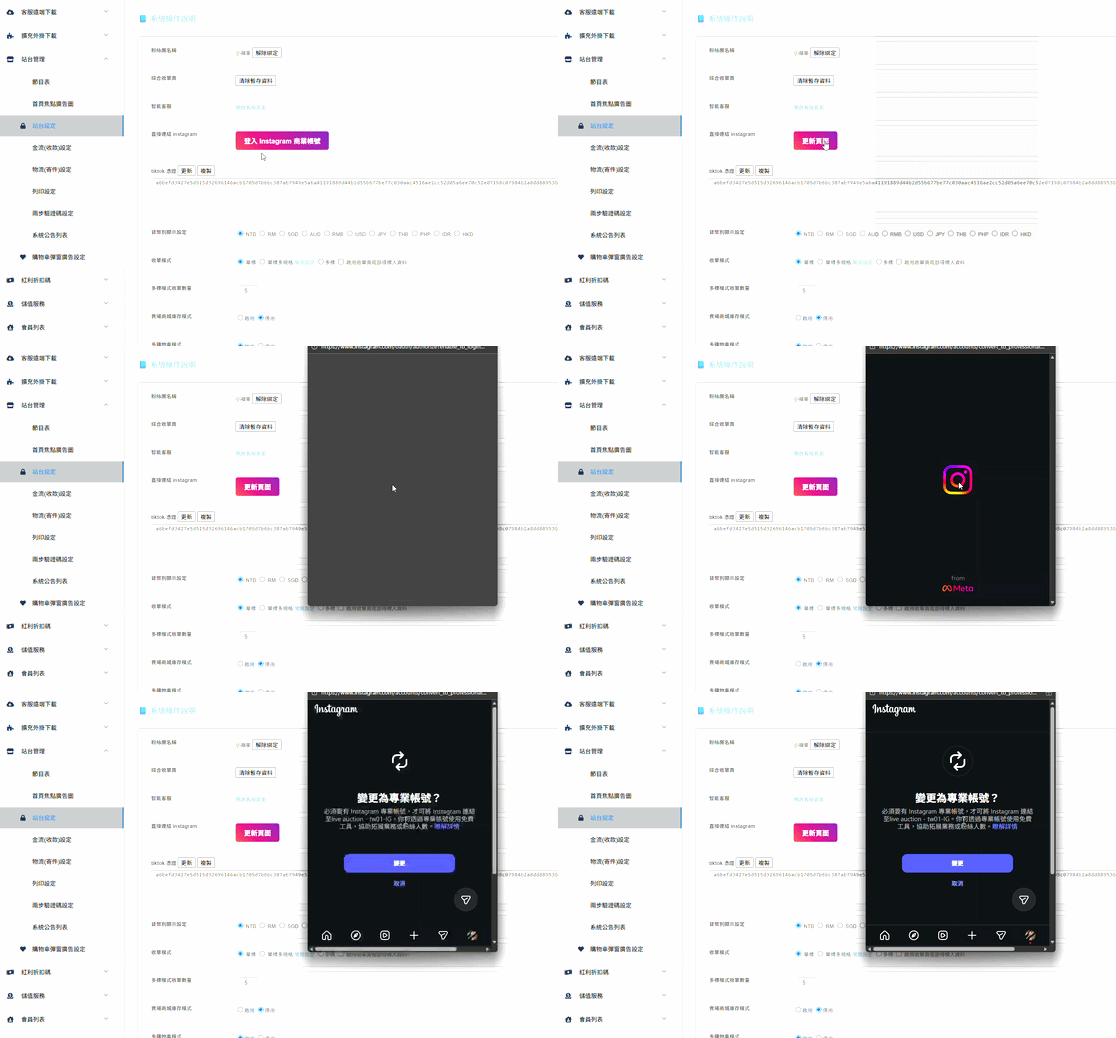
IG綁定時的判定，是帳號必須確認<mark style="color:red;">一定要是專業帳號(創作者、商業帳號)</mark>。

<div align="left" data-full-width="false"><figure><img src="/files/MDlkEEDIfoDaeERPP7Ea" alt=""><figcaption><p>IG綁定操作</p></figcaption></figure></div>

## 2. 解綁操作

由於系統綁定社群帳號後，根據不同的綁定方式，解綁方式也與綁定方式大相逕庭。

### (1) FB解綁操作

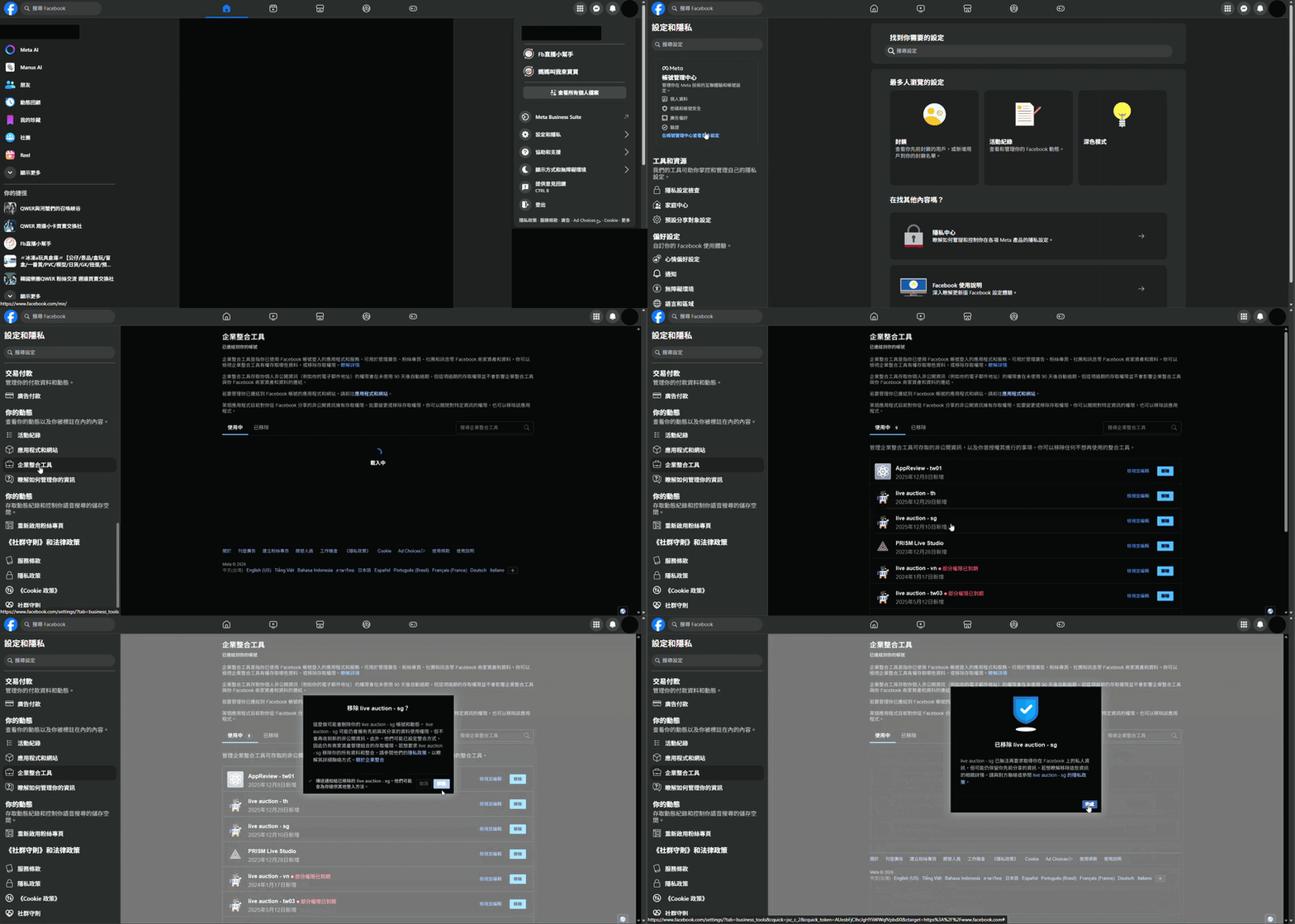
FB解綁操作，需要到當初綁定的FB管理員個人帳號畫面進行操作。\
點按右上角的頭像>設定和隱私>設定>企業整合工具>移除live auction-主機。

<figure><img src="/files/XsoTpH8q3LvjcltzHBDD" alt=""><figcaption></figcaption></figure>

### (2) IG解綁操作

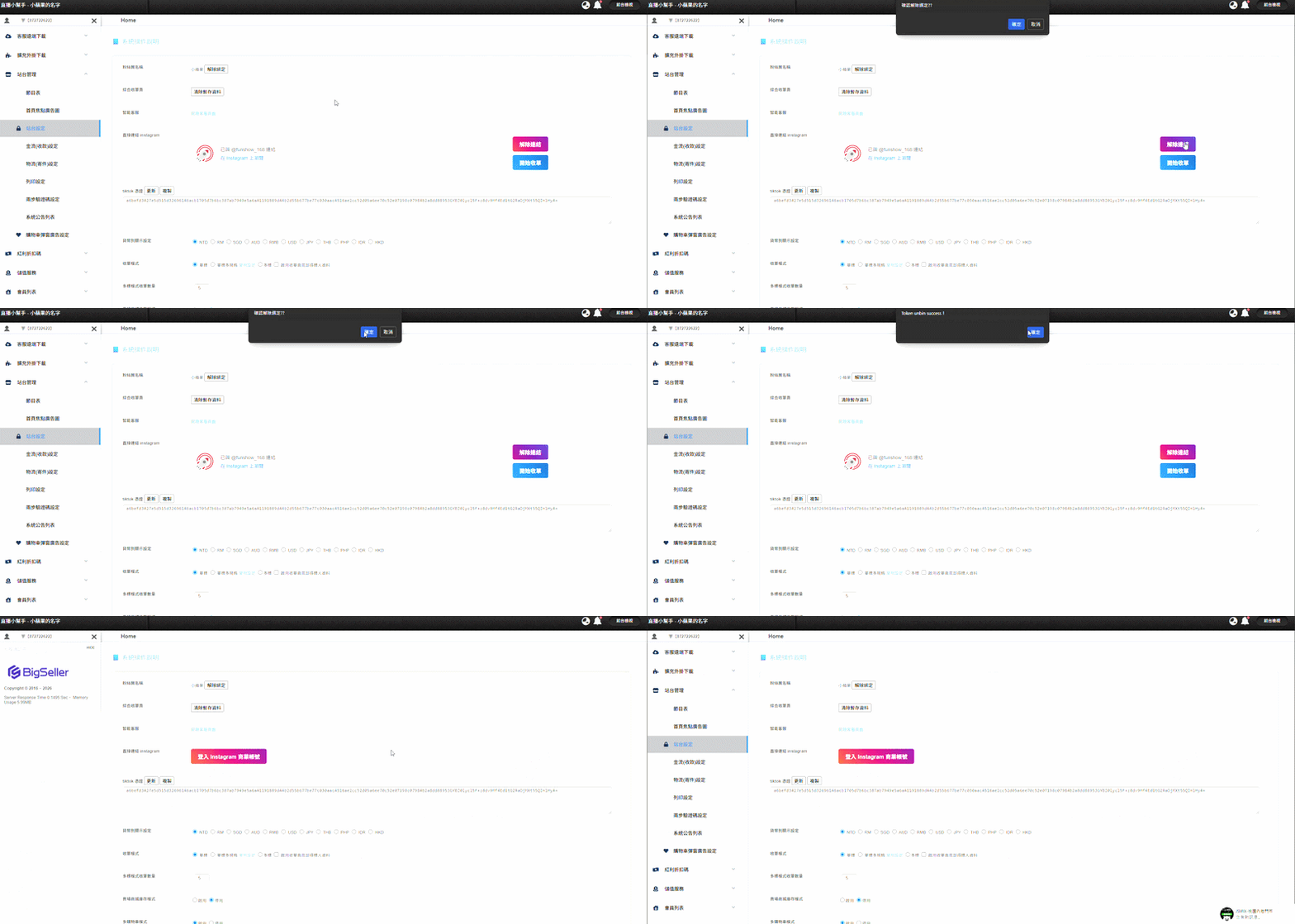
IG解綁操作，只要在系統後台>站台管理>站台設定中，直接對解除綁定的按鈕點按即可。

<figure><img src="/files/PUGcqbNAwPDQy1k8TABn" alt=""><figcaption></figcaption></figure>


---

# Agent Instructions: Querying This Documentation

If you need additional information that is not directly available in this page, you can query the documentation dynamically by asking a question.

Perform an HTTP GET request on the current page URL with the `ask` query parameter:

```
GET https://docs.168money.com.tw/xi-tong-ji-chu-jiao-xue/.-xi-tong-yu-fen-zhuan-bang-ding-jie-bang-de-luo-ji.md?ask=<question>
```

The question should be specific, self-contained, and written in natural language.
The response will contain a direct answer to the question and relevant excerpts and sources from the documentation.

Use this mechanism when the answer is not explicitly present in the current page, you need clarification or additional context, or you want to retrieve related documentation sections.